Maya and Daniel are getting their San Pedro home connected. Compare internet options, published monthly prices, signup requirements and installation costs.
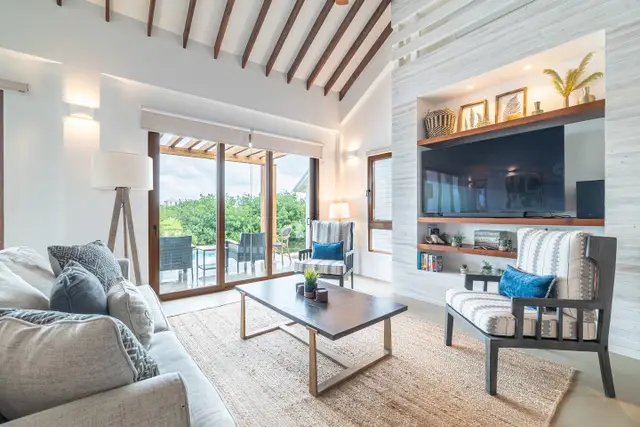
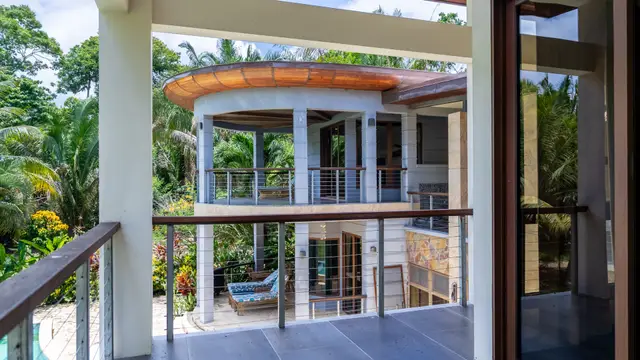
The first time Maya showed her sister their new home in San Pedro, she saved the veranda for last.
She turned her phone towards the water, then back towards the table where she planned to work. Her sister was already asking about flights.
Daniel appeared in the doorway.
“Are you doing this on our American phone plan?”
Maya turned the screen towards herself.
“I’m giving her a tour.”
“I know. What’s the tour costing us?”
She hadn’t checked. Between moving, unpacking and getting the utilities organised, they were still using their phones much as they had in Houston. Their home internet was next on the list.
It moved up a few places that morning.
Maya needed a connection for work. Daniel wanted the television set up. They both wanted to call family without wondering which roaming charges might appear on their next bill.
Getting home internet in San Pedro, Belize, started with finding out who could connect their house. Then came the useful questions: what would it cost each month, what would they pay upfront, and could Maya actually work from that table on the veranda?

First, find out who can connect your house
Maya started with package prices. Daniel asked a neighbour which company they used.
That gave them a name to investigate, but they still needed an answer for their own property. DigiNet is a fibre service, so the home needs to be within its fibre coverage. Smart advertises wireless home broadband. Coral Cable Vision is another local provider to contact, with an office at Pescador Drive and Pelican Street.
Send the provider your location and ask what it can install there. If there’s already a modem, router or cable connection in the house, mention it. Ask whether that equipment can be used and what is required to open an account in your name.
For a condo, ask management how internet is arranged in the building before ordering a separate installation.
Once Maya and Daniel knew which services they could request, they could compare the packages without getting distracted by offers intended for somewhere else.
What should you budget for home internet?
Published DigiNet and Smart packages run from approximately US$25 to US$100 per month across the options below. Both providers advertise unlimited internet on these packages.
DigiNet — 20 Mbps
US$24.50 per month (BZ$49)
Smart Broadband — 24 Mbps
US$30.94 per month (BZ$61.88)
DigiNet — 40 Mbps
US$39.50 per month (BZ$79)
Smart Broadband — 44 Mbps
US$45 per month (BZ$90)
DigiNet — 80 Mbps
US$59.50 per month (BZ$119)
DigiNet — 150 Mbps
US$99.50 per month (BZ$199)
Prices checked in October 2026. DigiNet totals include GST and the monthly equipment charge; Smart totals include GST. Installation and deposits are additional. USD equivalents use BZ$2 to US$1. Confirm availability and the complete quote for your property.
Maya’s first instinct was to pay for the fastest connection they could get. She didn’t want to be thinking about internet during a work call.
Then they considered what would actually be happening at the same time. Most days, it would be her laptop, their phones and perhaps Daniel watching television. When family visited, there would be more devices—and someone would probably be working from the spare room.
That is useful information to give the provider. Ask which package suits that combination and how an upgrade would work if your needs change.
For work, ask about upload speed as well as download speed. Digi’s published packages pair 20 Mbps download with 10 Mbps upload, 40 with 20, 80 with 40, and 150 with 75. If you regularly send large files, those figures belong in the conversation.
Smart’s advertised packages also include prepaid mobile benefits. Its 24 Mbps bundle lists 3,800 MB of mobile data and 75 SMS; the 44 Mbps bundle lists 6,300 MB and 130 SMS. Both advertise discounted national calls. If you’re arranging a local phone at the same time, ask how those benefits would apply to you.
Get a Coral quote alongside the others
Coral Cable Vision belongs on the shortlist, even though its current prices are less easily compared online.
You can request one through WhatsApp at +501 614-9020, by emailing ccvaccounts@coralcablevision.com, or by visiting the San Pedro office.
Ask for the available download and upload speeds, the monthly total including tax and equipment, and the full cost of installation. Confirm whether there is a deposit, a minimum contract or a separate equipment charge.
That gives you a quote you can place beside Digi and Smart. Internet costs mentioned in property listings may describe an existing or older arrangement; they don’t establish what a new account at your house will cost.
Maya kept the quotes together on her phone. It was easier than trying to remember whether one figure included equipment and another was only the service charge.
The paperwork—and the first bill
The monthly price is only part of the moving-in budget.
Digi publishes a residential installation charge of BZ$84.38, or approximately US$42.19, with a deposit of BZ$50–$100, depending on the package. Adding installation and deposit gives an initial setup allowance of approximately US$67–$92 before the first month’s service.
Applicants must be at least 18. Non-Belizeans can apply with a passport, so you do not need to obtain a Belizean Social Security card to meet Digi’s published identification requirement. You can apply through DigiConnect online or through a Digi office.
Digi lists a standard installation timeframe of three to five business days, with timing subject to the work required. Arrange the appointment around when someone can be at the house, and confirm the expected charges when booking.
Smart lists a BZ$90 installation fee, a security deposit equal to one month’s service and a one-year contract. Its published requirements include a valid ID and a utility bill. If your electricity or water account is still being established, ask which proof of address it will accept.
At the advertised package prices, Smart’s listed installation fee plus deposit comes to approximately US$76 for the 24 Mbps package or US$90 for the 44 Mbps package, before the first month’s service. Confirm the final installation total, including any applicable tax or extra work.
For Coral, obtain those same figures with the package quote.
Before finishing the signup, ask when billing begins, how you receive the bill and which payment methods are available. Save the account number and support contact somewhere both people in the household can find them.
“I don’t want to be the only person who knows how to pay this,” Maya told Daniel.
He took a screenshot.
What about Starlink?
Daniel had seen people discussing Starlink and wondered whether buying a dish would simplify everything.
For a home where existing providers cannot offer adequate service, it is worth investigating. Belize’s Public Utilities Commission permits Starlink in specified circumstances, including unserved or underserved locations, and evaluates new requests individually.
The starting point is to establish whether your location qualifies and which Starlink service plan can support the intended use. Request the full equipment, import and subscription costs before purchasing.
A US Roam price on its own is not a quote for a permanent connection at a Belize home. Starlink also changed its international Roam policy in 2026, so current requirements matter more than an older account of someone travelling with a dish.
For Maya and Daniel, it was another option to investigate if the local connections available at their house didn’t meet their needs.
Make sure the connection reaches the places you’ll use it
Maya had chosen the veranda as her working spot before they had even unpacked her laptop. Daniel assumed the router would sit beside the television.
“Can we ask before we put another thing on that cabinet?” she said.
It’s an ordinary moving-in decision, but one worth including in the installation conversation. Tell the provider where you’ll work, watch television and make calls. Show them the spare room and the outdoor seating area as well.
Ask whether the supplied equipment is expected to cover those spaces and whether anything additional would cost extra. A larger internet package and better Wi-Fi coverage within the house are different questions; have the provider help identify which one you’re trying to solve.
Once connected, try the things you normally do in the places you normally do them. Make a call from the desk. Connect the television. Take the laptop outside. It’s much easier to describe a specific problem than to report that “the internet seems slow.”
When their connection was installed, Maya called her sister from the veranda again. This time, she checked that her phone was on their home Wi-Fi before starting the tour.
Daniel came through the doorway carrying a dining chair.
“Is that your outdoor furniture?” her sister asked.
“For now.”
He put it beside Maya and sat down. They had internet, somewhere to sit and a spare room that still needed a bed.
Her sister asked which week she should come.